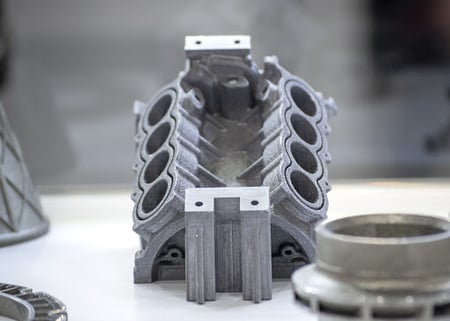
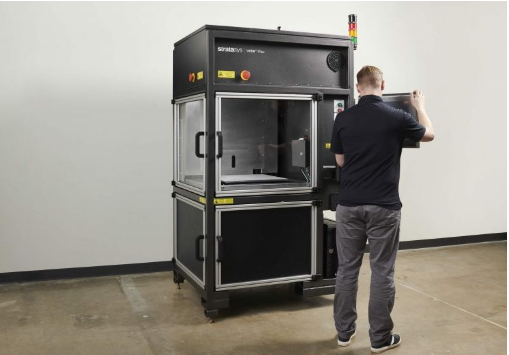
(Stratasys V650 Flex. Source: Javelin-Tech)
3D printing has emerged as a popular 3D model fabrication option. Be it prototyping or showing off proof-of-concepts, or using additive manufacturing at scale.
However, effective 3D workflows rely on several key parts. First, you’ll need to use the right 3D printing system for the task at hand (i.e., FDM vs. SLA). Second, the 3D printer must have the right programming in place to read/interpret the end-user’s 3D design files.
We’ll take a look at this second part in this blog post by examining 5 key considerations for 3D printer programming.
1. Usability/User Interface
First, you must ensure that the 3D printer offers an accessible user-interface (UI).
Not only does this mean providing a UI that’s easy to understand and use, but also ensuring that the end-user can control the 3D printer through different platforms.
So, you’ll want to ensure that the end-user can operate the system using standard PC or Mac, mobile, and in some cases, potentially even a web browser.
You’ll also want to ensure your 3D printer program is compatible with your user’s environment.
Ultimately, it’ll depend on the end-user’s workflow, so you’ll need to align with your target market as closely as possible. So, for example, a production plant might connect industrial 3D printers to a Windows-based PC environment. Others might use a Linux-based environment.
2. Ability to Read STL
STL (stereolithography) is a widely used file format in 3D printing. STL basically describes the 3D model’s surfaces through triangles, but it doesn’t offer information about color or texture. It’s a go -to format for 3D printing end-users, so you must ensure your printer supports it.
3. Ability to Repair CAD Files
In many situations, the end-user will need to repair their 3D computer-aided design (CAD) before printing them.
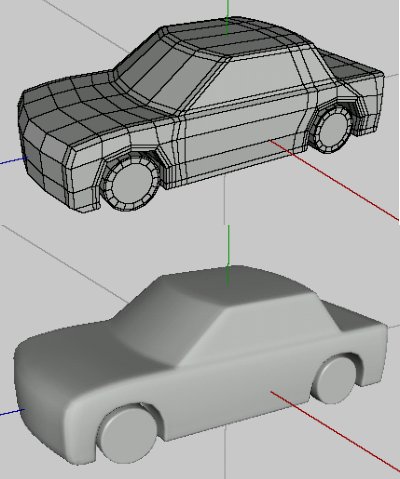
To support this capability, your 3D printer must provide the end-user with the ability to repair mesh, polygon counts, non-manifolds, flipped-faces, boundary-edges and other elements. It
may need to support instant repairs, texture support and hollowing support as well.
Technically speaking, supporting these capabilities will require you to build your 3D printer’s software suite as though it was a full-featured CAD program.
See How Renishaw Used Spatial SDKs to Meet the
3D Printer Software Needs of its End-Users

However, the challenge with providing these capabilities is that they basically require you to incorporate fully capable 3D modelers. In short, 3D modelers enable end-users to construct
as well as visualize, simulate, and analyse 3D objects.
Developing 3D modelers requires extensive expertise in not just software, but in engineering
and design, which isn’t typically available to most independent software vendors (ISV). But an alternative option could be to acquire 3D modelers off-the-shelf.
-
CAD Interoperability
It’s not uncommon for 3D printing end-users to work with multiple, different CAD file types.
So, for example, you could have an additive manufacturing services provider that works with a number of different clients, each with a different CAD suite.
In fact, even within the same company, the product design/engineering teams could be using a different CAD software from the 3D printing/manufacturing department.
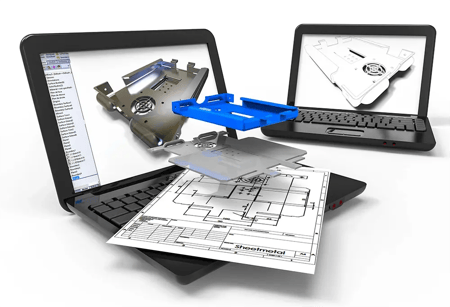
Thus, you’ll need to ensure that your 3D printer’s software can read and write (so as to repair files/3D models) each of the major CAD file formats. These can include, to name a few, CATIA, SolidWorks, STL, Revit, and NX.
As with 3D file repair, 3D interoperability requires access to each of the main CAD vendor’s data libraries. Not only does it take significant development work to build one, but you must also regularly update it in line with each original vendor’s data library updates.
Learn How to Develop Competitive 3D Printer Software:
- How the Best 3D InterOp Helps Reduce CAD File Errors in the Manufacturing Process
- How Poor 3D Data Translation Can Derail Project Timelines and Costs
- The Top 5 Ways Additive Manufacturing OEMs Can Decrease Costs
5. Cost
Your target end-user or market will determine the types of features you’ll need to include. But as you add more capabilities or features to your software, it’ll also rise in terms of cost.
However, you may potentially be able to control some of this cost by relying on off-the-shelf 3D modelers, 3D interoperability tools, and other software suites. You can rely on development kits that provide the underlying capabilities to expedite your development lead time.
Cut your application’s development time using Spatial’s SDKs for 3D modeling (3D ACIS & CGM Geometry Modelers), meshing (3D Precise Mesh), and CAD interoperability (3D InterOp). Reach out to us today for an evaluation.
.png?width=450&name=AdobeStock_188705270%20(2).png)
.jpeg?width=450&name=AdobeStock_289023609%20(2).jpeg)

.jpg?width=450&name=Application%20Lifecycle%20Management%20(1).jpg)