Let's be honest about something the simulation industry doesn't talk about enough: the actual solving part of finite element analysis is rarely the problem.
The math works. The solvers are mature. What kills your schedule and your confidence is everything that happens before you hit "run."
The geometry import that silently drops faces. The tiny fillet that crashes your mesher. The boundary layer that refuses to generate because some edge is 0.003mm too short for the algorithm to handle.
If you've spent any time in FEM preprocessing, you know exactly what we're talking about.
And if you haven't, you're about to find out why geometry preparation and mesh generation deserve far more engineering attention than they typically receive.
Where 38% of your time actually goes
Engineers spend roughly 38% of their total analysis time on preprocessing. Not setting up boundary conditions. Not interpreting results. Just getting geometry into a state where a mesh can exist on it, and then coaxing that mesh into existence. That's more than a third of your project timeline consumed by plumbing work between your CAD system and your solver.
The average simulation team uses 3.6 different CAD tools, with 84% working with two or more CAD formats. On the solver side, teams average 3.3 different solvers. Every combination of source format and target solver is another opportunity for something to quietly go wrong.
Step 1: Import the geometry (and immediately lose information)
Different CAD kernels use different internal representations for surfaces, edges, and topology. A NURBS surface that was perfectly valid in SolidWorks might have slightly different parameterization when reconstructed in another kernel. Tolerances don't always transfer cleanly. Sometimes faces just vanish, leaving gaps in your solid model that won't be obvious until the mesher fails three hours later.
3D InterOp handles this by performing healing during translation, topology modification, geometry refinement, and invalid data repair across CATIA V5/V6, Creo, Inventor, SolidWorks, Parasolid, STEP, and IGES formats. Even so, this step is inherently fragile. You're converting between mathematical representations that weren't designed to be compatible. Healing is a fundamental requirement.
Step 2: Defeature the model (the step everyone underestimates)
Your CAD model was built for manufacturing. It has every fillet, chamfer, hole, and cosmetic detail the machinist needs. Your simulation doesn't care about the 2mm fillet on a bracket 500mm from your region of interest. But your mesher absolutely cares, because that fillet forces element sizes down and propagates mesh density problems across the model.
Manual defeaturing is slow, error-prone, and hard to standardize across a team.
CGM Defeaturing automates this by identifying and removing fillets, holes, and chamfers based on size thresholds. One-step removal, no manual repair needed afterward, because the geometry kernel handles healing internally.
Automated defeaturing can accelerate preprocessing workflows by roughly 80%.
Those thresholds depend on what you're simulating, a feature irrelevant for structural analysis might matter for thermal simulation. Engineering judgment doesn't disappear; it just moves from "click on each fillet individually" to "define the right defeaturing strategy for this analysis type."
Step 3: Generate the mesh (where quality metrics actually matter)
With clean, defeatured geometry in hand, the conversation shifts from "does it work at all" to "does it work well enough to trust the results."
Mesh quality metrics matter, but not equally everywhere. What matters is quality in regions where solution gradients are steep:
- Skewness, aspect ratio, and Jacobian ratios affect solver convergence — but obsessing over them across your entire model is a waste of time
- A slightly ugly element far from your stress concentration isn't going to ruin your simulation
- A slightly ugly element right at the concentration absolutely will
Mesh sizing: where experience shows
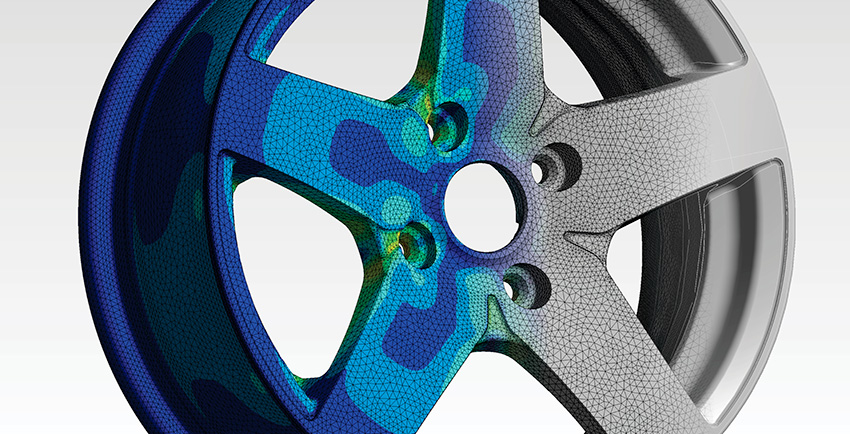
The biggest difference between novice and experienced FEM analysts is how they approach mesh sizing. CSM/CVM (Spatial's Convergent Surface Mesher and Convergent Volume Mesher) automates the critical decisions:
- Curvature-based sizing examines local curvature and adjusts element size so the mesh faithfully represents geometric shape — tight curves get smaller elements, flat regions get larger ones, no manual intervention needed
- Proximity detection refines the mesh automatically in thin walls and narrow gaps
- Gradation control ensures smooth element size transitions, avoiding artificial stress concentrations that abrupt mesh changes can introduce
- Automatic boundary layer generation for CFD work, with controls for first layer height, growth ratio, and number of layers — including difficult cases where boundary layers from adjacent surfaces interact
The geometry kernel question
Here's something that doesn't get discussed enough in FEM preprocessing: the quality of your mesh is fundamentally limited by the quality of your geometry representation. Your mesher queries the geometry kernel for surface evaluations, normal vectors, and curvature values. If those queries return imprecise results, your mesh reflects that imprecision.
CSM/CVM is tightly integrated with both CGM Modeler and 3D ACIS Modeler, communicating through internal APIs rather than intermediate file formats. No translation, no approximation at the interface. The mesh nodes sit precisely on the geometry because the mesher has direct access to the exact surface representation.
Oleg Skipa at CST (now Dassault Systèmes) put it plainly: the tetrahedral meshing technology represents the de facto industry standard, and crucially, the interface with Spatial's modeling SDKs works extremely well. That interface quality is the difference between mesh nodes that lie on the geometry and nodes that are "close enough" — where "close enough" silently degrades your solution accuracy.
Where this plays out in practice
Across industries, the geometry-to-mesh pipeline creates the same class of problems. Here are the workflows where robust preprocessing has the most impact:
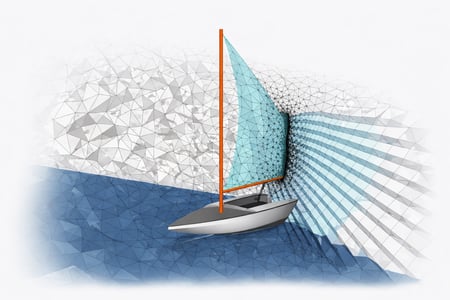
BIM and building simulation. HVAC simulation needs meshes of building interiors with boundary layer resolution near walls and inlets — built from architectural geometry never designed for simulation. Automated defeaturing and robust meshing are what makes this feasible at all.
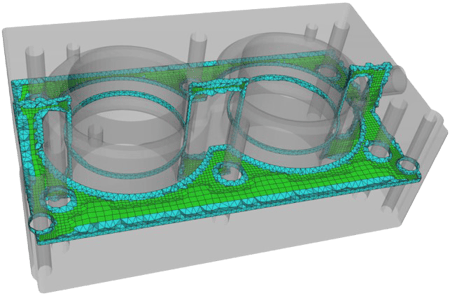
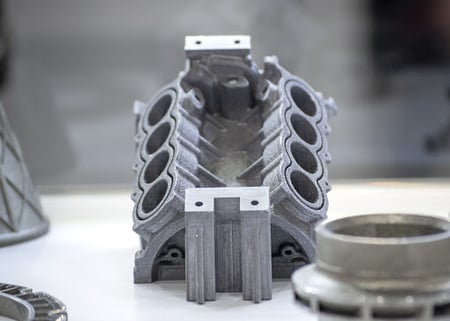
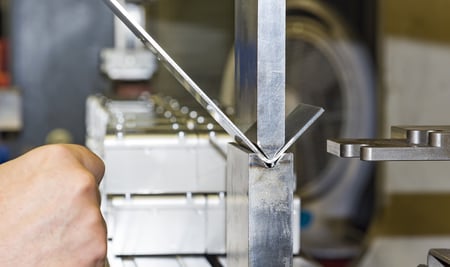
Manufacturing applications. Die casting, injection molding, and sheet metal forming need simulation meshes of complex tooling from multiple CAD systems. The CAE workflow is heavily affected by preprocessing reliability because models are geometrically complex and iteration cycles are tight.
Acoustic simulation. Treble Technologies integrated Spatial's meshing technology for tetrahedral generation. Their takeaway: when the mesher handles complex geometry reliably without manual intervention, the simulation tool becomes something engineers actually use rather than something they fight with.
The full stack, connected
The 38% preprocessing tax isn't something teams have to accept. The technology to dramatically reduce it exists today, and it's mature enough for production workflows.
Here's what a complete pipeline looks like end-to-end:
- Translate and heal with 3D InterOp — read CATIA, NX, SolidWorks, STEP, IGES, JT, and more; fix gaps, tolerances, and invalid geometry
- Defeature automatically with CGM Defeaturing — remove fillets, holes, and chamfers below your size thresholds in one step
- Generate surface and volume meshes with CSM/CVM — tightly coupled to the geometry kernel, no intermediate files, no precision loss
- Export the simulation-ready mesh to your solver
These aren't separate tools bolted together after the fact. They share a common geometric foundation through CGM Modeler and 3D ACIS Modeler, which means data flows cleanly from import through defeaturing through meshing without the lossy handoffs that plague disconnected toolchains.
That integration is what turns an 80% reduction in preprocessing time from a marketing claim into something teams actually experience.
For CAE application developers, the calculation is straightforward. Building robust geometry handling and industrial-strength meshing in-house takes years of development and continuous validation against thousands of edge cases. Integrating Spatial's SDKs lets your team skip that work and focus on what actually differentiates your product — the solver, the physics, the user experience.
Ready to cut your preprocessing time?
- Explore Spatial's CAE workflow solutions, which cover the full import-to-mesh pipeline.
- Request a free evaluation of Spatial's SDKs to test defeaturing and meshing against your own geometry.
- Or contact the Spatial team directly to talk through how these components fit your specific workflow.
.jpg?width=450&name=AdobeStock_487440650%20(1).jpg)