%20(1).webp)
Understand what you're really building
Before writing a single line of code, your team needs a clear-eyed view of the technology stack underneath any serious 3D engineering application. It's not just "a modeler with a UI."
You're looking at, at minimum, five distinct layers:
The five layers of a 3D engineering application:
- A geometry kernel — the mathematical engine that represents and manipulates 3D shapes. Boolean operations, surface creation, blending, filleting, tolerant modeling. This is the deepest layer, and arguably the hardest to get right.
- CAD interoperability — your users will need to import and export files from CATIA, SOLIDWORKS, NX, Creo, STEP, IGES, JT, IFC, and probably a half-dozen others. Each format has quirks. Each version has quirks. Maintaining translators is a full-time job for multiple people.
- Visualization — rendering 3D models on screen with acceptable performance, handling scene management, GPU optimization, cross-platform support for desktop, web, and mobile.
- Meshing — if your application touches simulation (FEA, CFD, electromagnetics), you need surface and volume mesh generation that's reliable and precise.
- Application framework infrastructure — undo/redo, save/restore, selection and highlighting, command mechanisms, error handling, cancel operations. The stuff nobody thinks about until it's missing.
Each of these layers represents years of specialist development. Your team probably has deep expertise in one, maybe two of them. The rest? That's where the trouble starts.
The build-vs-buy decision is more nuanced than people think
Most teams frame this as a binary: build it ourselves or license it. In practice, there are three paths, and they differ in ways that aren't immediately obvious.
Path 1: Build everything in-house. Maximum control. Maximum IP protection. Also maximum development risk, maximum cost, and no external R&D support. You'll need to hire and retain specialists in computational geometry, graphics programming, file format parsing — people who are expensive and hard to find. Your development cycles will stretch because you're building from the bottom up. Your interoperability will suffer because developing and maintaining CAD translators for dozens of formats is a staggering amount of work for a small team. And your custom kernel will inevitably hit capability walls that take months to overcome.
Path 2: Partner with a CAD OEM. Low development risk, low upfront development cost. But the licensing costs tend to be very high, your functional flexibility drops dramatically (you're constrained by their architecture), and your IP protection weakens since you're building on someone else's branded platform. Support is usually limited to what the OEM decides to offer.
Path 3: Use specialized SDKs and a development framework. This is the middle path, and for most teams, it's the one that actually works. Development risk drops because you're building on proven technology. Costs are moderate — you're effectively sharing R&D expenses with a vendor whose entire business is maintaining these components. You retain high functional flexibility and IP protection. And you get global R&D support from specialists who've been working on these problems for decades.
The math tends to be straightforward once you run the numbers honestly. But people don't always run the numbers honestly.
Want to dig deeper into this tradeoff?
- Spatial's blog post "When 3D Software Development Toolkits Make Sense" lays out the criteria clearly.
What acceleration actually looks like in practice
Theory is fine, but we find it more useful to look at what actual teams have done. Here are several real examples, drawn from companies at very different points in the 3D application spectrum.
Saving a decade of development effort
JSOL Corporation builds JMAG, an electromagnetic simulation tool used across the automotive and electronics industries. Their challenge was real: they needed 3D geometry handling, CAD import across multiple formats, interactive operations, and defeaturing for analysis models. Building geometry processing in-house wasn't feasible — and here's the part that trips up a lot of teams — CAD systems update their formats annually. That means even if you solve the import problem today, you've signed up for a continuous maintenance burden that never ends.
By integrating 3D ACIS Modeler, 3D InterOp, and HOOPS Visualize, JMAG achieved what Spatial's case study describes as "a decade of software development gains." That's not marketing fluff.
When you account for the geometry kernel, multi-format CAD import, and interactive visualization, a decade is a reasonable estimate of what it would take a team to build and harden all three from scratch.
Cutting meshing time by 80-90%
Coreform builds isogeometric analysis software — a next-generation approach to FEA that works directly with CAD geometry rather than converting everything to a traditional mesh first. They needed solid geometry handling and multi-format CAD import but didn't want to spend years on either. Using 3D ACIS Modeler and 3D InterOp, they launched earlier than expected. Their customers' simulation engineers now save 80-90% of the time traditionally spent on meshing.
One thing that stood out about Coreform's experience: Spatial's support team co-developed alongside Coreform's own engineers. That kind of hands-on technical collaboration matters more than people expect when integrating complex SDKs.
Focused on physics, not plumbing
Treble Technologies runs a cloud-native, browser-based acoustic simulation platform. Their core expertise is in acoustic physics and solver algorithms — that's where they wanted their engineers spending time. For mesh generation (both surface and volumetric), they integrated 3D Precise Mesh and got their simulation pipeline running faster without diverting their team into mesh generation work.
This is a pattern worth paying attention to. The cloud-native aspect adds constraints (everything needs to run headless, at scale, in containers), and the last thing you want is to be debugging a custom mesh generator in a distributed environment.
Handling the real world of messy CAD data
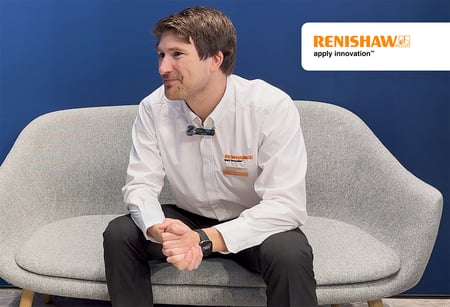
Renishaw, the metrology and additive manufacturing company, ran into a problem that anyone in manufacturing software knows well: STL files are often garbage. Their build preparation software, QuantAM, was spending too much time healing broken STL geometry. By integrating Spatial's SDKs (3D InterOp and ACIS), they could import native CAD formats directly, sidestepping the whole STL quality problem.
Our collaboration with Spatial now allows us to not only perform high-quality healing on STL files but, more importantly, to import various CAD formats directly.
Stephen Anderson, Director of Group Software, Renishaw
Small team, big ambitions
FVA GmbH builds driveline simulation software for gearbox analysis. Their in-house surface modeling hit hard limitations — they couldn't handle Boolean operations, FEA meshing, or mass/volume calculations. Every new geometric routine chewed up engineering time they didn't have. They integrated 3D ACIS Modeler, 3D Precise Mesh, and 3D InterOp, and now their customers focus on gear analysis while FVA-Workbench handles geometry.
Working with Spatial enables our small and highly competent development team to focus on our core competency: numerical simulations.
Norbert Haefke, CEO, FVA GmbH
That sentence captures the whole argument better than anything we could write. Small teams can't afford to spend years on geometry infrastructure. They just can't.
More examples across industries
The pattern holds across very different domains:
- Stäubli Robotics needed a 3D engine for their Robotics Suite that would hold up for the next 5-10 years. They chose CGM Modeler, CGM Polyhedra, 3D InterOp, and HOOPS Visualize, getting smooth 3D representations and a modular architecture.
- Dukin Co built CMM simulation software on ACIS and HOOPS, reducing development time by over 30% and costs by 50%.
- Prototek used 3D InterOp and CGM Modeler to build an automated quoting tool that cut quoting time from hours to seconds.
- COSCOM used ACIS for intelligent CAD data reduction in CNC digital twins, handling massive tool geometry datasets that were killing performance.
See how other teams have accelerated their development:
- Browse more at Spatial's case studies page.
The framework question
Here's something teams consistently underestimate: the amount of work that goes into basic application infrastructure. Undo/redo alone is surprisingly complex when you're dealing with 3D model state. Add save/restore, selection highlighting, command routing, error handling, and cancel mechanisms, and you're looking at a substantial engineering effort before your application does anything unique.
AGM, Spatial's application framework, represents over 200,000 lines of code and more than 15 person-years of development. More than 40 commercial applications have been built on it and released worldwide.
It supports both C++ and C#, runs on desktop and web, and comes with full source code and a 4-day training program.
If your team of, say, eight developers spent their first year building application infrastructure, that's eight person-years before you've written any domain-specific code. With a framework like AGM, you compress that to weeks. The difference in time-to-first-release is dramatic.
We are not saying every team needs AGM. But if you're staring at the application framework layer of your stack and estimating "a few months" to build it — you're probably underestimating by a factor of three.
Don't ignore the cloud
One more thing that matters increasingly: deployment targets. Your users probably expect web access eventually, maybe mobile. Some will want cloud-hosted workflows. If your architecture doesn't account for this from the beginning, retrofitting it later is painful.
HOOPS Visualize Web handles web-based 3D visualization. AGM supports both desktop and web deployment frameworks. Planning for these capabilities early — even if your first release is desktop-only — saves you from architectural rewrites down the line.
Simus Systems needed to move their costing software to the cloud, reading files from different CAD systems server-side. Using 3D InterOp, they had enough functionality built up in about six months to proceed with their cloud implementation.
Planning your deployment strategy?
- Learn more about HOOPS Visualize for web-based 3D visualization.
- Explore AGM for desktop and web application development.
A realistic acceleration strategy
If we were advising a team starting a new 3D engineering application today, here's what we would tell them.
Be ruthlessly honest about your competitive advantage.
What specific capability makes your application worth buying? That's where your engineering talent should spend its time. Everything else is a candidate for SDK licensing. Every hour your domain experts spend on CAD format parsing or undo/redo infrastructure is an hour they're not spending on the features that make your product worth buying. This is the real cost of building infrastructure in-house, and it's the one most teams undercount.
Map your stack and evaluate each layer independently.
Draw the layer cake. Maybe you have genuine kernel expertise but no interest in building CAD translators. License interoperability (something like 3D InterOp, used by over 300 companies for more than 20 years) and build your own kernel. Maybe your kernel needs are standard but your simulation pipeline is unique. License the kernel (CGM Modeler, which powers CATIA V5 and the 3DEXPERIENCE platform, or 3D ACIS Modeler, which has anchored the modeling kernel market for 35 years) and focus on simulation.
Timebox your estimates, then double them.
For each infrastructure layer, estimate how long it would take to build from scratch. If the number scares you, that's useful information. For a broader perspective on allocating development resources, "Spending 3D Software Development Resources Wisely" is worth reading.
Start with a framework.
The infrastructure code isn't where you differentiate. It's where you burn time. Getting a working application skeleton up in weeks instead of months changes the psychological dynamic of the project. Your team sees progress. Your stakeholders see progress. Momentum matters.
Evaluate SDKs early, not after you've burned six months.
Don't wait until you've already sunk time into a geometry pipeline to start looking at commercial options. Request an evaluation and get real code running against your actual use cases. Budget for integration effort, not just licensing — SDK integration is real engineering work, but it's bounded and predictable in a way that from-scratch development never is.
Plan for interoperability and deployment breadth from day one.
Your users live in a multi-CAD world. If your application can't read their files, nothing else matters. And desktop-only might be your first release, but architect for web and cloud from the start. Retrofitting that later is painful.
The teams that ship 3D engineering applications on time aren't necessarily bigger or better funded. They're the ones that figured out where to spend their engineering effort and where to stop reinventing infrastructure that already exists.
Ready to accelerate your 3D application development?
- Download Spatial's ebook "How to Successfully Develop, Deploy, and Support 3D Applications" for the comprehensive lifecycle guide.
- Visit spatial.com to request an SDK evaluation and get real code running against your use cases.


.png?width=450&name=AdobeStock_188705270%20(2).png)

%20(1).webp?width=450&name=SCR-20260223-oqmb%20(1)%20(1).webp)

.jpg?width=450&name=Application%20Lifecycle%20Management%20(1).jpg)